Introduction
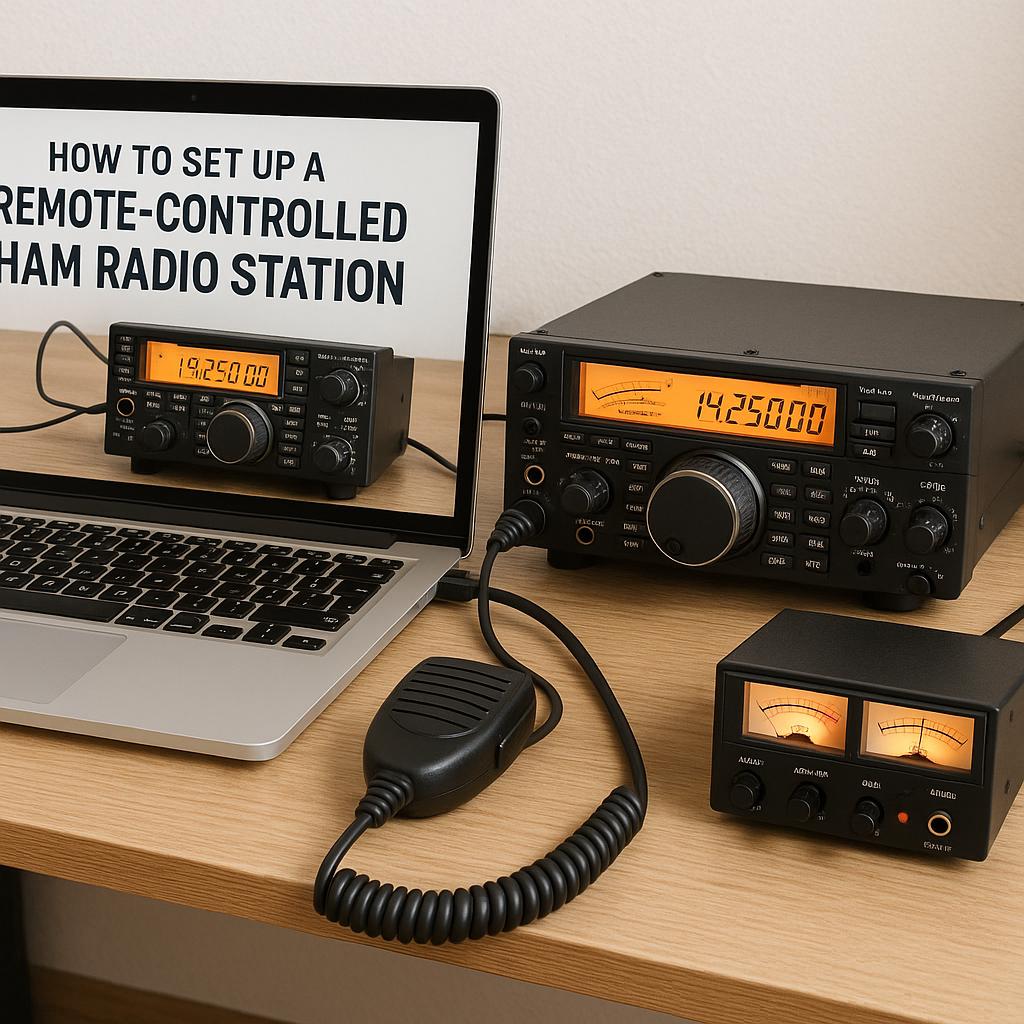
Setting up a remote-controlled ham radio station enables amateur radio enthusiasts to operate their equipment from virtually any location, extending their reach beyond physical constraints. This setup is particularly advantageous for individuals living in locations where erecting antennas proves challenging or for those who wish to maintain operability of their station while traveling. Detailing the intricacies involved, this guide provides a comprehensive understanding of the essential components and procedural steps necessary for establishing a remote-controlled ham radio station.
Essential Equipment
In embarking on the journey to set up a remote-controlled ham radio station, specific equipment is required to facilitate operation from a distance. Here, we highlight the primary components integral to this endeavor:
Radio Transceiver:
Your radio transceiver must be compatible with remote operation. It is crucial to verify that the transceiver can be linked to a computer for external control, as many contemporary models are equipped with built-in remote control features enabling such functionality.
Computer:
A dependable computer with a robust internet connection forms the backbone of remote communication with your radio station. The computer needs to include software capable of controlling the transceiver remotely, ensuring seamless integration within the setup.
Antenna:
A properly functioning antenna system remains critical for effective transmission and reception. The antenna must be set up and optimized specifically for the frequency bands on which you plan to operate, ensuring clear signal transmission.
Remote Control Software:
Software that enables remote control of your station becomes a necessity. Options such as Ham Radio Deluxe and PocketRxTx are popular choices, providing the necessary features for remote station management.
Internet Connection:
An enduring and stable internet connection is indispensable to maintain a reliable link between your computer and the remote station. It is vital for this connection to support ongoing communication without disruptions.
Setting Up Your Station
With the necessary equipment acquired, the following steps outline the procedure for setting up your remote-controlled ham radio station effectively:
Configure Your Transceiver
The initial step involves reviewing your transceiver’s manual to grasp its remote-control capabilities. This includes setting the transceiver to the requisite frequency and ensuring an efficient connection with the computer. Adapting the transceiver settings in line with these requirements is fundamental to control it remotely.
Install and Configure Remote Software
Next, download and install the requisite remote control software on your computer. Follow the detailed instructions associated with the software to configure communication between your computer and the transceiver. This may necessitate the installation of drivers or additional software to ensure the computer interfaces accurately with the radio, enhancing operational efficiency.
Setup Networking
A pivotal aspect of the setup process involves configuring your network to allow remote access. This could mean setting up port forwarding on your router to direct external traffic onto your transceiver. Should you encounter network access issues, consulting your internet service provider to address concerns related to firewalls or other network constraints might be necessary.
Test the Remote Connection
At this stage, with both physical and software components in place, it is essential to test the integrity of your setup. Attempt accessing your station remotely to ensure complete control over all the transceiver functions from afar. This encompasses testing the transmission and reception capabilities to confirm that the remote connection operates as intended.
Maintenance and Troubleshooting
Once your remote-controlled ham radio station is operational, ongoing maintenance and troubleshooting become critical to maintaining optimal performance. Regular checks of the connection stability, software updates, and hardware functionality ensure that your station remains in peak condition. Encountering connection disruptions or performance issues necessitates a systematic troubleshooting approach to identify and address the root causes promptly.
Regular Software Updates
Keep abreast of software updates for your remote control applications. These updates can provide enhanced features, security patches, and performance improvements, which are vital in maintaining seamless remote operation.
Hardware Checks
Conduct routine assessments of the physical components, such as ensuring antenna alignment, transceiver connections, and computer performance, to preempt unforeseen operational issues. Addressing minor discrepancies in hardware can prevent significant disruptions.
Troubleshooting Connectivity Issues
In the event of connectivity interruptions, verify the stability of your internet connection. Check if there are any network changes or firewall settings that could obstruct communication to your remote station. Re-evaluating the configuration settings of both your transceiver and computer might also provide insights into possible resolution strategies.
Conclusion
The endeavor of constructing a remote-controlled ham radio station demands diligence and attention to detail but rewards with unparalleled flexibility and accessibility for amateur radio operators. By ensuring you possess the correct equipment, configure your software precisely, and establish a stable and secure network connection, you are poised to relish the freedom that remote ham radio operation affords. Upholding regulations and adhering to best practices not only reinforces the station’s effectiveness but also contributes to the broader amateur radio community by minimizing interference and fostering clear communication.